Productivity · Files
FolderSpace
Turn folders into workspaces

Folders full of nothing but files?
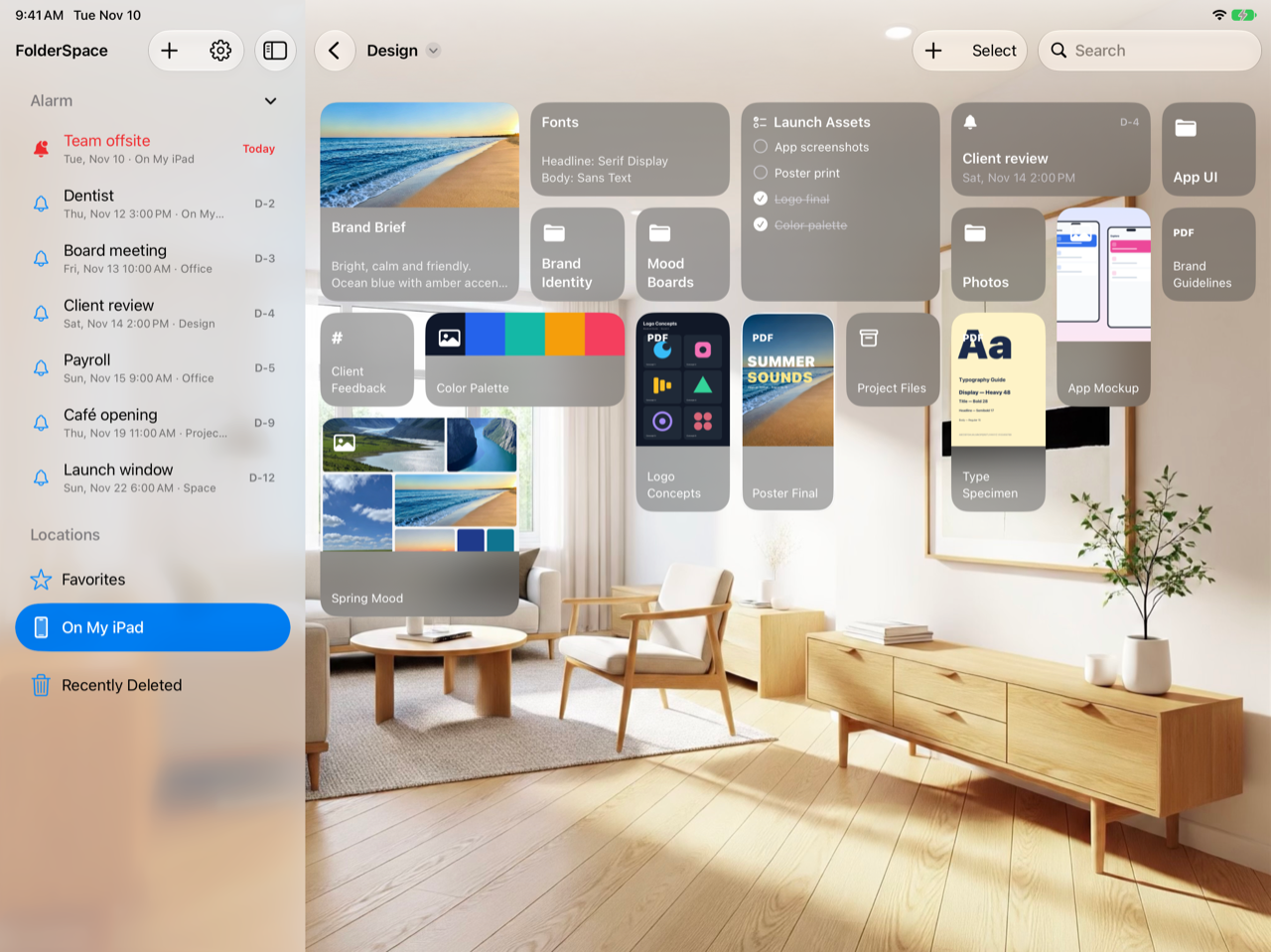
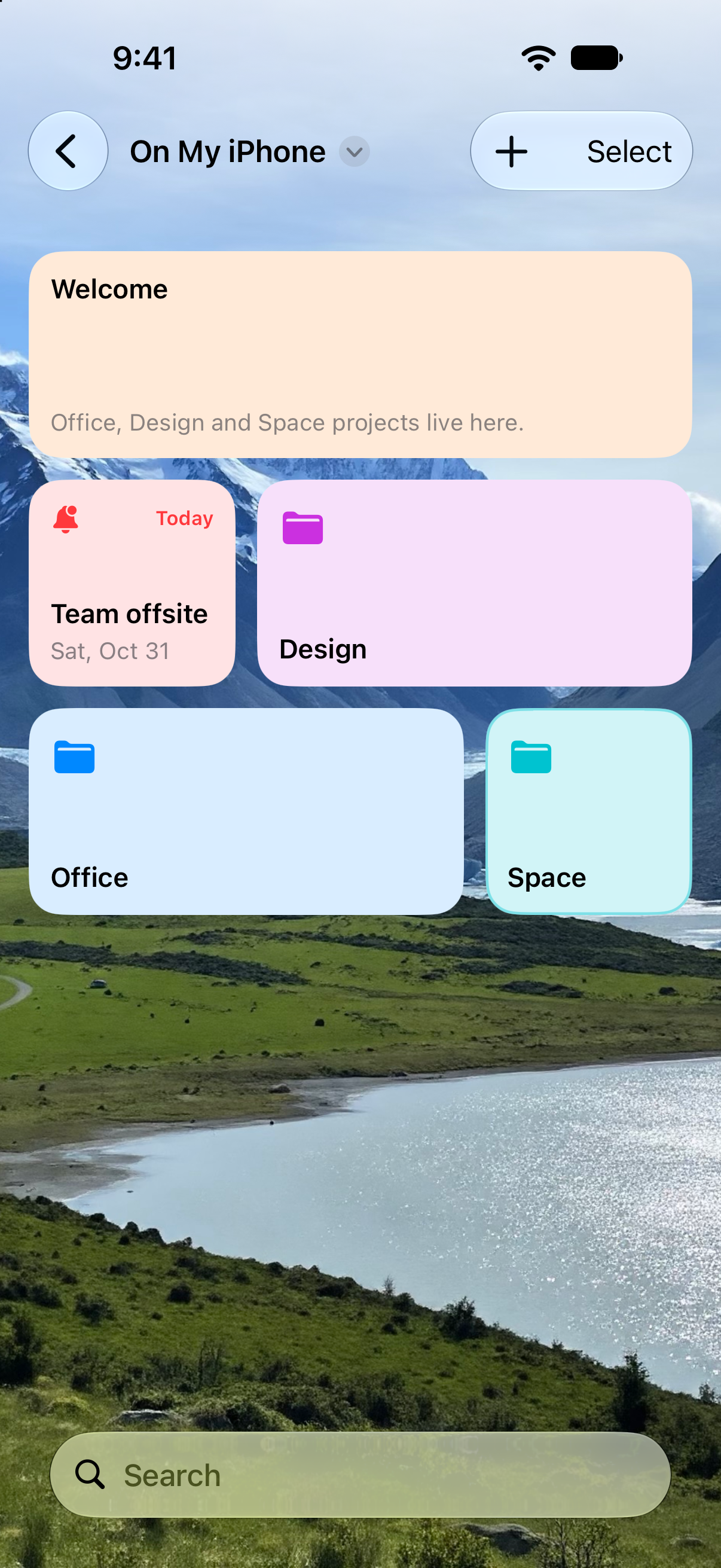
Now add memos, checklists, alarms, and more to your folders. Each folder becomes a workspace that boosts your productivity right away.
Folders become workspaces
See folders and files as cards and add what you need.
Memos, checklists, alarms
They stay with the folder, even when it is renamed or moved.
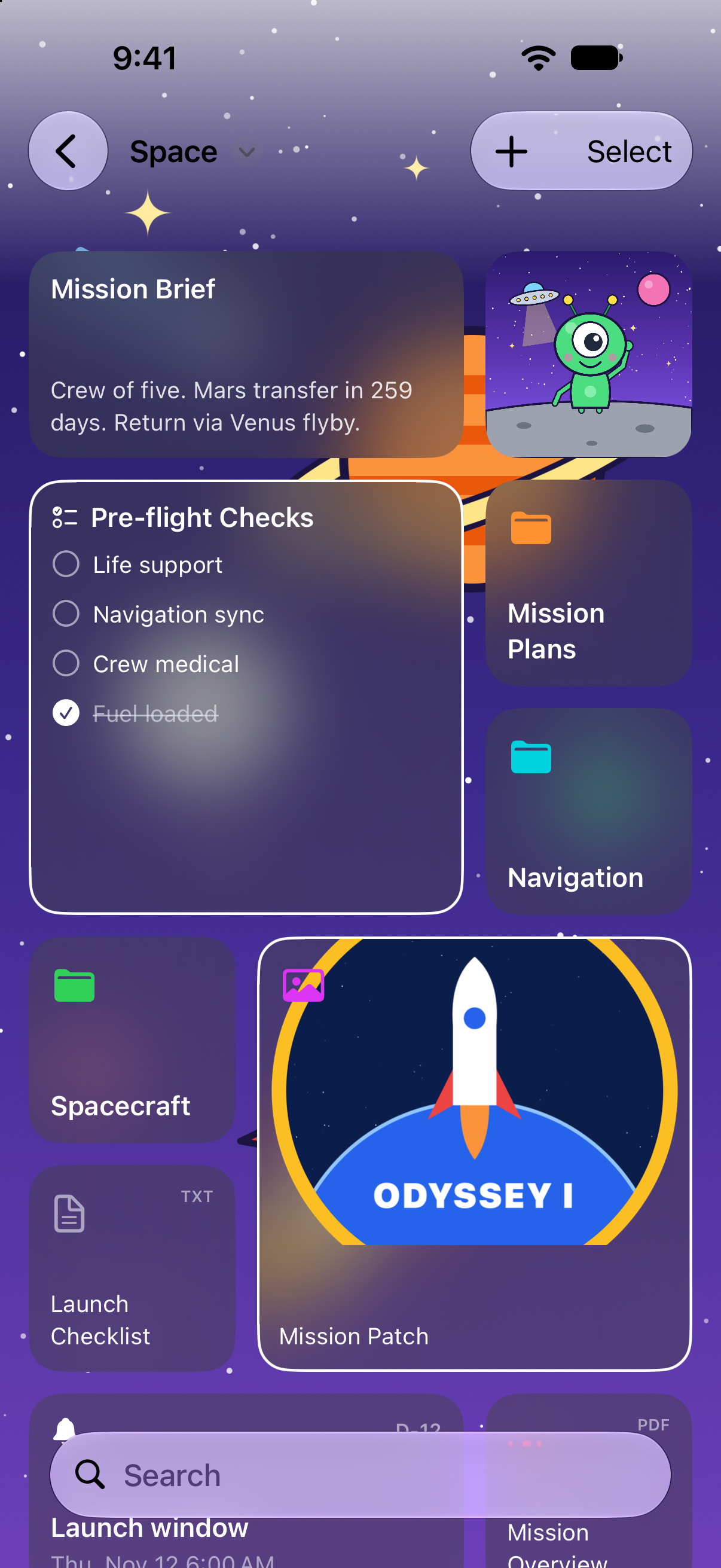
A mood for every folder
Style each page with photo backgrounds and glass cards.
Workspace
Your to-dos, inside the folder.
Add memos, checklists, alarms, and photo cards to any folder. Open it and the files and notes for that work are all in one place.
Make it yours
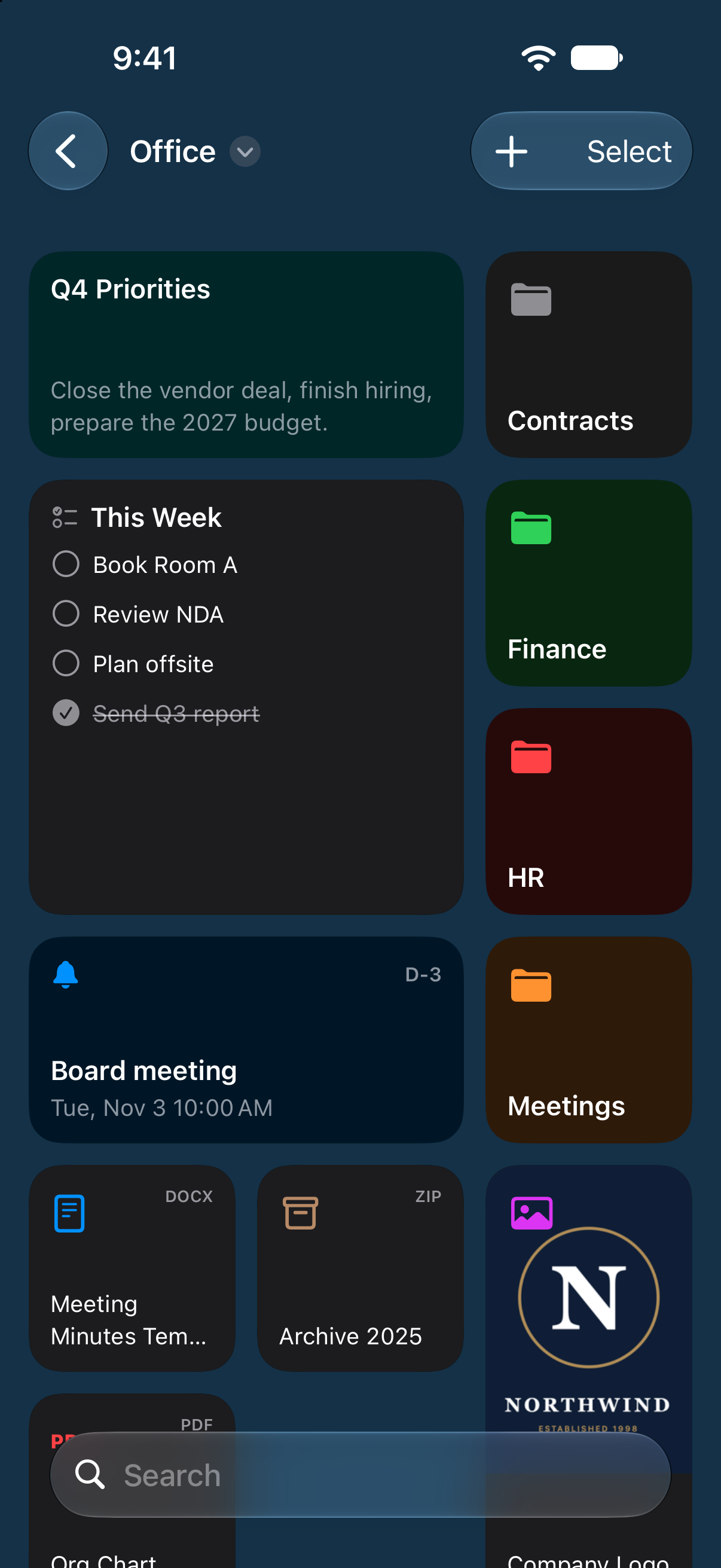
Cards, arranged your way.
Make important folder and file cards bigger so they stand out, and change their colors and importance marks. Arrange the cards however you like.
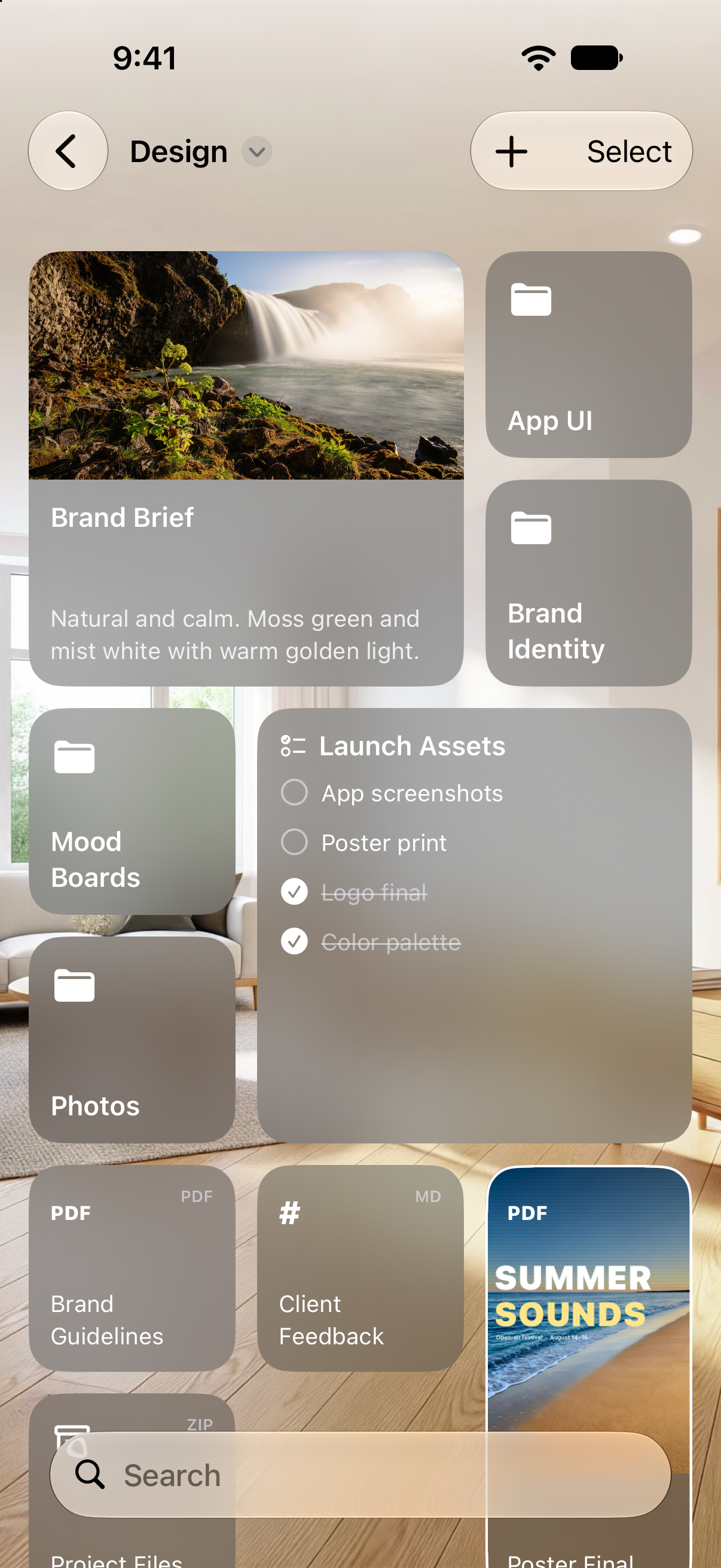
Backgrounds
A different mood for every folder.
Give each folder page a solid color or photo background, and style it with glass cards and white icons.
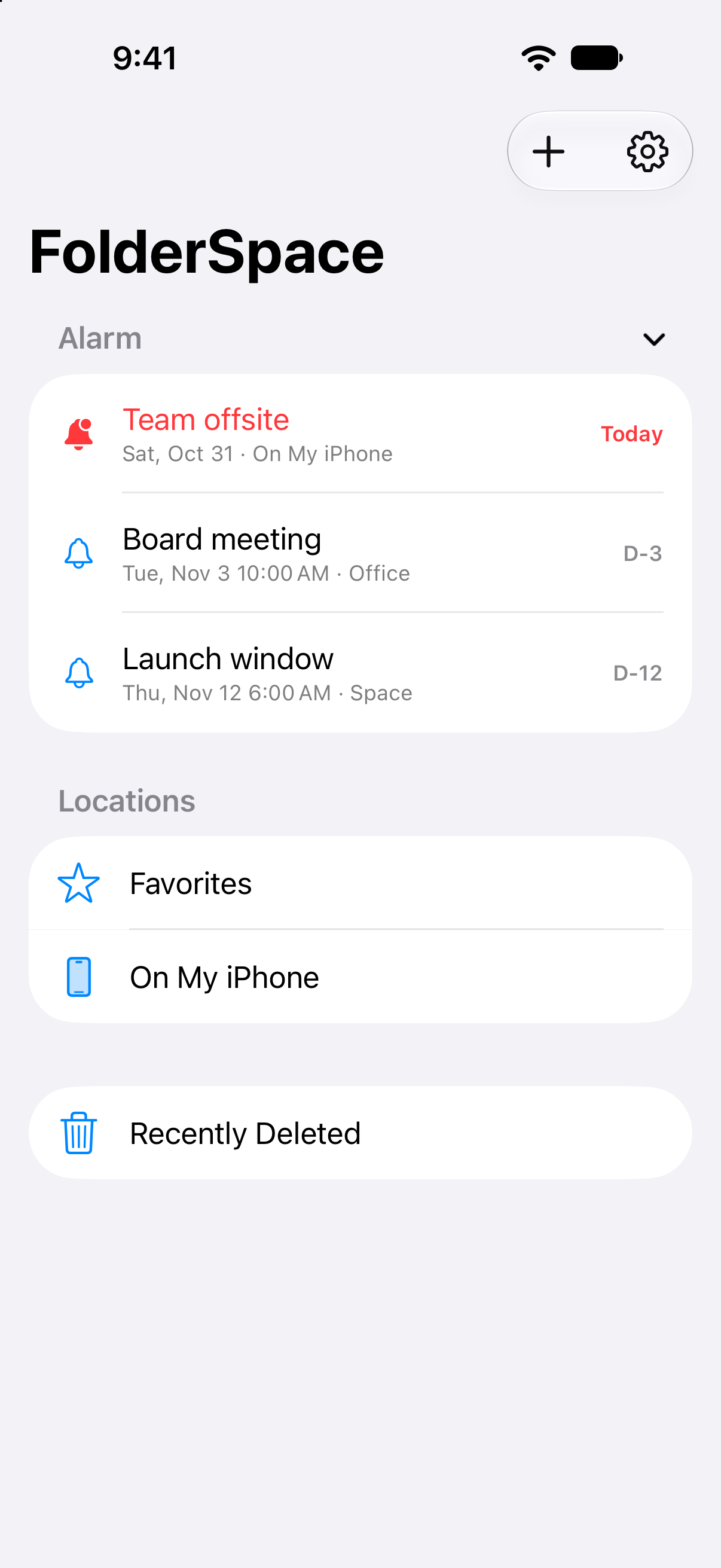
Alarms & favorites
What’s coming up, and where you go most.
See the alarms you’ve added to folders in one place, and get to the cards you use most quickly from Favorites.
And more
Organize files
Files with similar names are grouped together, and all the basic file actions are supported, of course.
Search
Search by folder and file names and by the text of memos, checklists, and alarms.
Shortcuts & drag and drop
Open cards from anywhere with shortcuts, and drag to share with other apps.
Across your devices
The info and settings you add to folders stay in sync across your devices through iCloud.
Free, and more with Pro.
Free
- Browsing, opening, copying, moving, and deleting files
- Rearranging cards
- Search and Favorites
- Memos, card styles, and backgrounds on up to 2 folder pages
FolderSpace Pro
- Add memos on every folder page
- Card styles and backgrounds on every folder page
The first 7 days are a free trial, followed by a monthly or yearly subscription.
Your files stay on your device.
FolderSpace does not collect personal information. There is no sign-up, advertising, or analytics, and your folders and files are handled only on your device.
Support
For questions, bug reports, or feedback about FolderSpace, please email us.
Including your device model and iOS version helps us help you faster.
How do I add folders?
Tap the + button at the top of the sidebar and choose a folder in the file picker. Choosing the top of iCloud Drive or On My iPhone lets you see every folder inside it. Locations are added separately on each device.
What can I do for free?
Browsing, opening, copying, moving, and deleting files, rearranging cards, search, and Favorites are always free. Customizations such as adding notes, styling cards, and backgrounds are free on up to 2 folder pages. A FolderSpace Pro subscription unlocks them on every folder page, starting with a 7-day free trial.
How do I manage or cancel my subscription?
Open the Settings app > Apple Account > Subscriptions and choose FolderSpace Pro. The free trial or subscription renews automatically unless you cancel at least 24 hours before it ends.
A file starting with “.fsid-” appeared in my folder
It is a tiny hidden file that lets FolderSpace recognize a folder you added notes or settings to, even after it is renamed. Other apps don’t show it. If you delete it, the notes and settings for that folder will no longer follow it.
How do I keep my devices in sync?
Sign in to iCloud with the same Apple Account, and your notes, checklists, alarms, photo cards, and card settings stay in sync across devices. The folders and files themselves are synced by iCloud Drive.